โ† Home
โ‡„ ToolLions comparison engine

Hostinger Horizons vs Playcode

Compare pricing, ratings, functions, limits, privacy, pros and cons side by side.

Tool B only shows tools that share a category with Tool A.
โ†—
Ready to try one? Open the official website before you dive into the full table. Always check current pricing and limits.
Hostinger Horizons screenshot 8.3

Hostinger Horizons

AI App Builders

โ˜… (0)

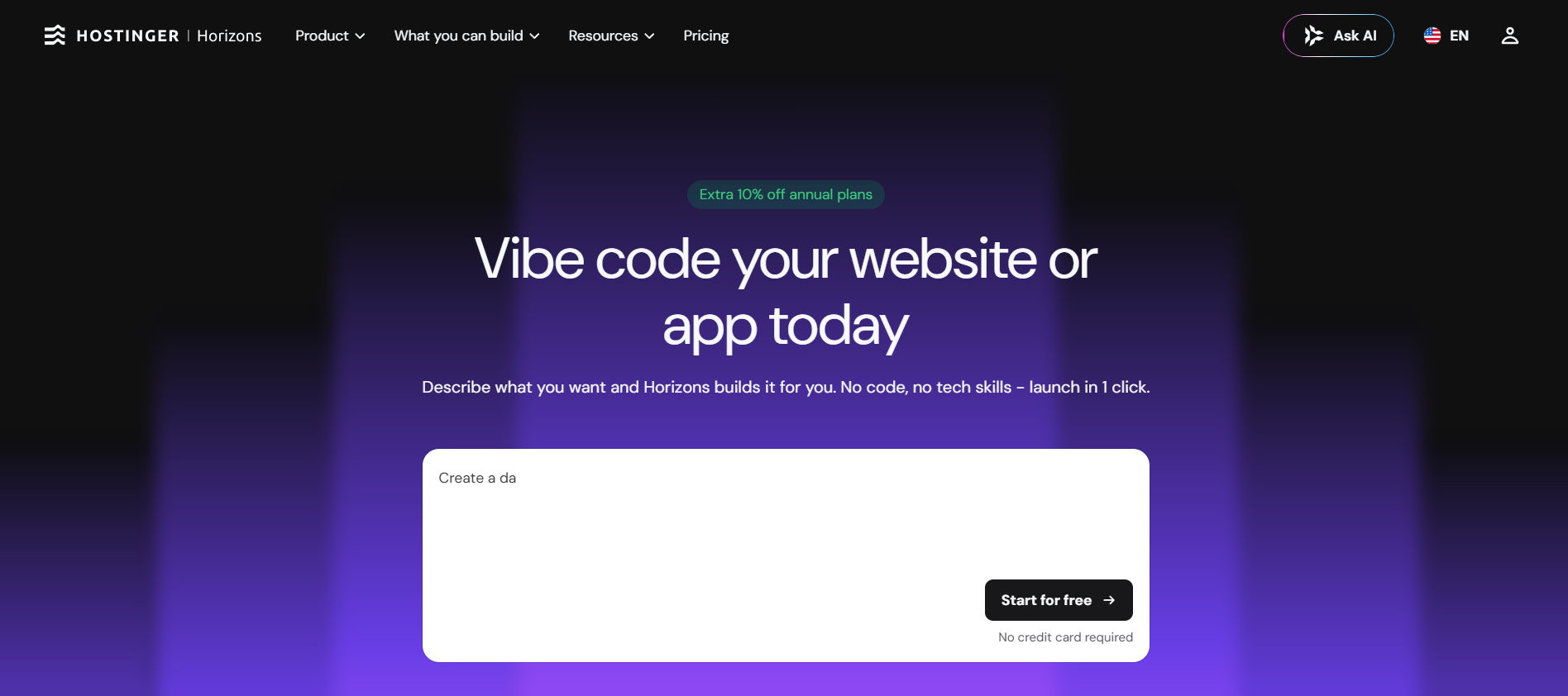
Hostinger Horizons is a no-code AI app builder that turns prompts into hosted websites, web apps, stores and internal tools.

  • Prompt-to-app generation
  • Integrated backend and data storage
  • One-click publishing
Free + paid plansFree planFree trialAPI#New
Playcode screenshot 8.3

Playcode

AI App Builders

โ˜… (0)

Playcode is an AI website and app builder that turns plain-language prompts into hosted websites, landing pages and full-stack cloud apps.

  • Prompt-based website generation
  • Visual editing
  • AI-generated images
Free plan + paid plansFree planAPIGDPR friendly#New
๐Ÿ†

Quick verdict

Hostinger Horizons fits AI App Builders. Playcode is relevant to compare because both tools share at least one category.

โญ

Score overview

Hostinger Horizons: 8.3/10 ยท Playcode: 8.3/10

Hostinger Horizons vs Playcode

Factor
Hostinger HorizonsVisit website โ†’
RatingNo user ratingsNo user ratings
Score overview8.3/108.3/10
Ease of use9.2/109.2/10
Price/value8.0/108.2/10
Output quality8.0/108.1/10
Best for
  • Beginners
  • founders and small teams that want one platform for AI building
  • hosting
  • domains and publishing.
  • Entrepreneurs
  • freelancers
  • agencies
  • marketers and small teams that want to build and publish websites
  • landing pages
  • client sites or lightweight full-stack apps without managing infrastructure.
Core features
  • Stripe
  • Code
  • code
  • Prompt-based website generation Visual editing AI-generated images
  • logos and icons Production hosting Playcode Cloud for full-stack apps Custom domains with SSL Code export as ZIP Private projects Unlimited collaborators on paid plans Whole-app rewind for cloud apps
Use cases
  • Customer portals
  • Internal tools
  • Dashboards
  • Internal tools
  • Dashboards
Platforms
  • Mobile browser
  • Web
  • Mobile browser
  • Web
Inputs
  • Natural language prompts
  • code
  • Natural language prompts
  • code
Outputs
  • Customer portals
  • Hosted web apps
  • Internal tools
  • Dashboards
  • web
  • Hosted websites Landing pages Full-stack cloud apps React/Vue/HTML projects ZIP code export
Integrations
  • Zapier
  • Stripe
  • Twilio
  • code
  • Payments
  • Stripe
  • email
  • CRM
APIโœ…โœ…
Mobile appโ€”โ€”
Browser extensionโ€”โ€”
Privacy7.7/107.9/10
Limitations
  • AI credits limit how much you can build and edit A hosting plan is required to keep published apps live FTP
  • File Manager
  • SFTP and SSH are not supported inside Horizons Exports become static websites and cannot be imported back into Horizons for prompt editing No native iOS or Android app generation Complex apps require careful prompting and testing
  • Playcode Cloud pricing and capacity may still evolve AI credits depend on prompt complexity
  • model choice and project context Custom domains
  • private projects and export require paid plans Free plan is better for testing than production Use a developer review step before launching sensitive or high-revenue apps
Pros
  • Very beginner-friendly Free plan with no card required Hosting and publishing are integrated Affordable entry pricing compared with many app builders Supports Stripe
  • Zapier and custom integrations through prompts Code editor and export options exist on supported plans
  • Very fast from idea to published site Hosting
  • SSL and CDN are included on paid plans Code export reduces lock-in Free plan makes it easy to test Strong fit for freelancers and small businesses
Cons
  • AI credits can run out during heavy iteration Published apps depend on an active hosting plan No native mobile app generation FTP
  • SFTP
  • SSH and traditional file manager workflows are not supported inside Horizons Exported projects cannot be re-imported for prompt editing Complex apps still need QA and technical judgement
  • Zapier
  • Make
๐Ÿ’ถ

Pricing comparison that uses the same basis

Free access, payment triggers, real limits and the most suitable planโ€”without mixing monthly and annual prices.

Comparable paid entryNo reliable price winner: billing period, currency or usage level is not directly comparable.
Buying questionHostinger HorizonsPlaycode
Free accessStart with the free version ยท Check the current free limits on the official websiteStart with the free version ยท Check the current free limits on the official website

Free access

Hostinger Horizons

Start with the free version ยท Check the current free limits on the official website

Playcode

Start with the free version ยท Check the current free limits on the official website

โœฆ Editorial comparison conclusion

Hostinger Horizons vs PlayCode: final verdict

โ†’
Our recommendation

Choose Hostinger Horizons for a guided no-code workflow with managed hosting, authentication, data storage and business features. Choose PlayCode when direct code access, visual editing, full-project rollback and greater development flexibility matter more.

Hostinger Horizons and PlayCode can both generate websites and full-stack web applications from natural-language instructions, but they approach the building process differently. Hostinger Horizons is the more guided option for users who want the platform to manage the technical foundation. It can provision authentication, data storage, uploaded-file storage and automated emails through its integrated backend, while paid plans can add commerce features, analytics, domains and email services. PlayCode combines its AI builder with a browser-based coding environment, visual editing and infrastructure for hosting, databases, scheduled jobs and WebSockets. Its ability to restore the code, files and database together to an earlier saved state is particularly useful when an AI edit breaks a working application. Both platforms allow access to generated code, but Hostinger exports React and Vite projects that cannot be imported back into Horizons after external editing. Hostinger Horizons is therefore the more direct choice for beginners and small businesses that want a managed launch process. PlayCode is the stronger fit for builders who expect to inspect, modify and retain more control over the application throughout development.

H

Choose Hostinger Horizons if

Beginners, solopreneurs and small businesses that want managed infrastructure, user accounts, data storage and commerce features

P

Choose Playcode if

Developers, technical founders and agencies that want editable code, visual controls, integrated cloud infrastructure and reliable project rollback

Key takeaways

  • โœ“Both tools can generate and publish full-stack web applications from natural-language instructions
  • โœ“Hostinger Horizons includes a managed backend for authentication, data storage, file uploads and automated emails
  • โœ“PlayCode combines AI generation with direct coding, visual editing, hosting, databases, scheduled jobs and WebSockets
  • โœ“Hostinger code can be exported, but an externally edited project cannot be imported back into Horizons for continued prompting
Last edited: 2026-07-11
Mats in โ€™t Veld
Reviewed by

Mats in โ€™t Veld

Founder & AI tool reviewer โ€ข Amsterdam, the Netherlands

Mats uses, tests and compares AI tools for ToolLions from Amsterdam.

About Mats and ToolLions

More relevant comparisons